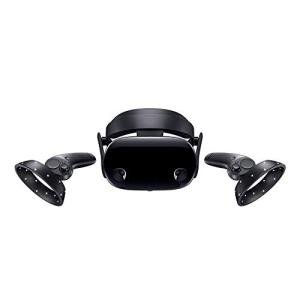
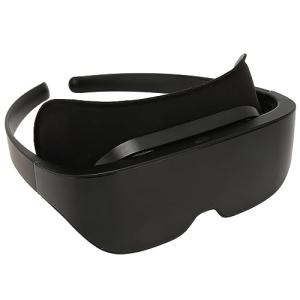
First, think about your budget. VR headsets come in all price ranges. If you’re just starting out, you might want to consider a standalone headset like the Meta Quest 2. It doesn’t need a pricey gaming rig or a console—it's ready to go right out of the box. If you’re a serious gamer, you might want to invest in a high-end model like the Valve Index or the HTC Vive Pro for the best graphics and tracking.
Next, consider comfort and fit. You'll want a headset that feels good even after wearing it for a while. Look for adjustable straps, a soft padded interior, and a lightweight design. Some models also offer options for additional accessories, like face cushions or prescription lens inserts, to help personalize your experience.
Lastly, take a look at the content available for each headset. Some VR headsets have exclusive games or experiences that can be a big selling point. Make sure the headset you choose supports the types of games or apps you’re excited about. Reading user reviews and checking out game availability can really help in making your decision.
Understanding VR Headset Features
When diving into the world of Virtual Reality Headsets, it helps to know what features actually matter. You want a headset that gives you an awesome experience, so let's break down some key features to look for.
First up is display quality. The resolution can make a huge difference in how immersive your experience feels. A higher resolution means sharper images and less pixelation, which is especially important in fast-moving games or experiences. Look for headsets with at least 1080p per eye for a decent experience, but if you can swing for higher, go for it!
Next is the field of view (FOV). This basically shows how much you can see at one time. A wider FOV gives you a more natural feeling like you’re really there. Most good Virtual Reality Headsets offer a FOV of around 100 degrees or more. This will really pull you into the virtual world.
Don’t underestimate comfort! If you’re planning on long VR sessions, the last thing you want is a headset that feels heavy or digs into your face. Look for adjustable straps, lightweight materials, and good cushioning. If you can, try one on before buying to see how it feels for you.
Lastly, consider the tracking technology. Good tracking means your movements translate accurately into the virtual space. Options like inside-out tracking (using built-in cameras) or external sensors can make a big difference. This feature is crucial for an enjoyable and responsive VR experience.

Woody's Augmented Reality Adventure with Toy Story Gang
Join Woody and the Toy Story gang for an unforgettable interactive experience that brings your favorite characters to life
Product information
$14.95 $5.39
Product Review Score
4.95 out of 5 stars
147 reviewsProduct links
Top VR Headset Recommendations
If you're diving into the world of Virtual Reality Headsets, you've got some awesome options to consider. Each headset brings something unique to the table, whether you're gaming, exploring new worlds, or training for specific skills. Let’s look at some of the top choices that are creating buzz right now.
The Meta Quest 2 is a fan favorite. It's wireless, so you can move freely without tripping over cords. The graphics are pretty stellar for the price, and it comes with a wide selection of games and experiences right out of the box. Plus, its standalone setup means you don’t need a powerful gaming PC to enjoy it.
Next up is the Valve Index. This one’s for the serious VR enthusiasts who want the best visuals and performance. It requires a powerful PC, but if you’re ready to invest in your VR setup, you won't be disappointed. The tracking and controls are top-notch, making for an immersive experience that lets you dive deep into virtual worlds.
If you’re after something for the PS5, the PlayStation VR2 is a fantastic choice. It's designed specifically for PlayStation gaming and offers a seamless experience with stunning graphics. The new controllers add a whole new level of interactivity, letting you truly feel like you are part of the game. It’s perfect for those already in the PlayStation ecosystem.
Lastly, don’t overlook the HTC Vive Flow. This headset is super portable and designed for relaxation and social VR experiences. It doesn't have the heavy gaming focus like others but is perfect for watching movies or chilling with friends in a virtual space. If you're looking for versatility and ease of use, it’s definitely worth checking out.
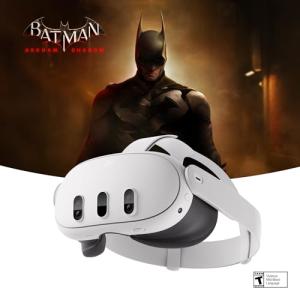
Quest 3 512GB - Explore Mixed Reality with Meta Horizon+
Unleash your imagination and enjoy immersive experiences like never before with the Quest 3 512GB
Product information
Product Review Score
4.73 out of 5 stars
183 reviewsProduct links
Setting Up Your VR Experience
Getting your Virtual Reality Headsets set up is easier than you might think. First, make sure you have enough space. Ideally, you want an area where you can move around freely without bumping into furniture. Clear out any obstacles, so you can fully immerse yourself in the virtual world.
Next, check the requirements for your specific headset. Some Virtual Reality Headsets need a powerful PC or console to run the software, while others are standalone units that don’t require anything else. Make sure your device matches the necessary specs. If you’re using a PC, it’s a good idea to update your graphics card and drivers for smoother performance.
Once the hardware is set up, it’s time to get everything connected. Follow the manufacturer’s instructions for connecting your headset to your PC or console. If it’s a wireless model, charge it up and follow any pairing steps. Don’t forget to install the necessary software. Each headset usually has an app to help you set up your space and calibrate the display.
Finally, put on your Virtual Reality Headsets and adjust them for comfort. You want the display to be clear and the straps to feel snug, but not too tight. Most importantly, dive into a demo or a game to test it out. It'll take some getting used to, but once you’re in, you’ll be amazed at how realistic the experience can be!